Other bike-fit apps measure your angles. BikeFit fixes your pain.
A guided coach for cyclists with knee, IT-band, foot, saddle, hand, neck, or lower back pain. Tell it what hurts. We’ll tell you what a $200/hour fitter would try first, why it works, and how to make the change.
Six screens from one foot-pain flow.
From symptom selection through the next routed adjustment after the test ride. This is what every session looks like.
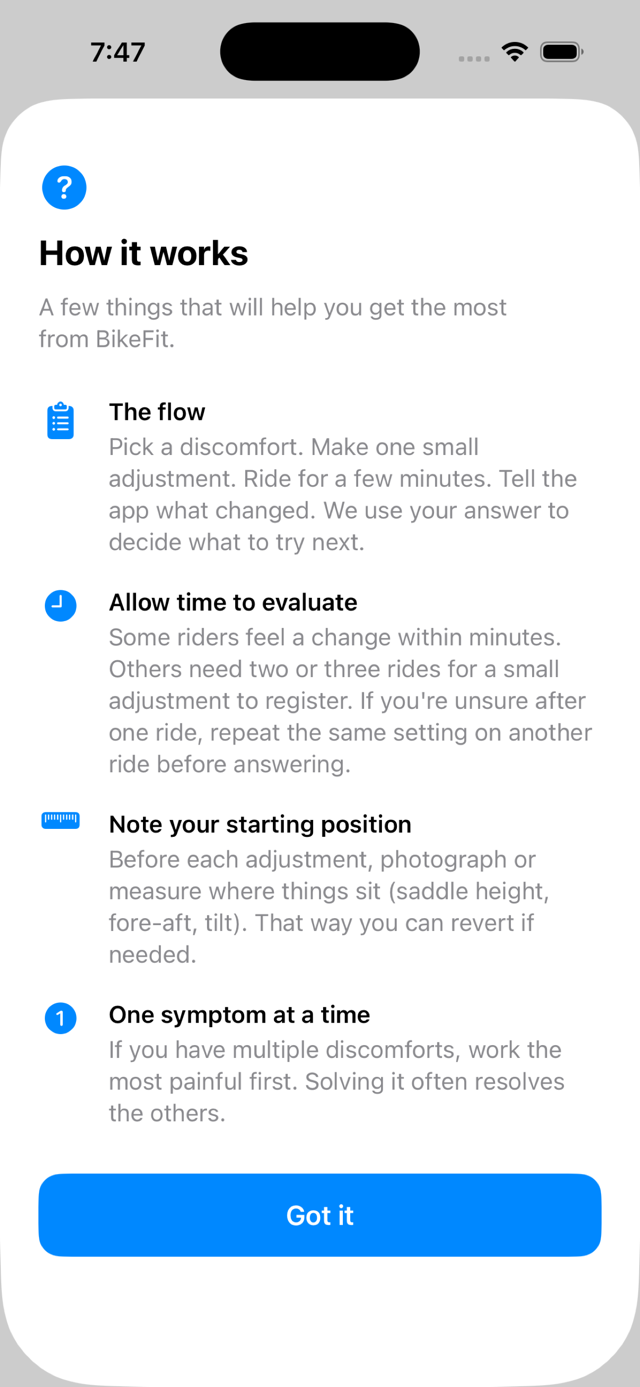
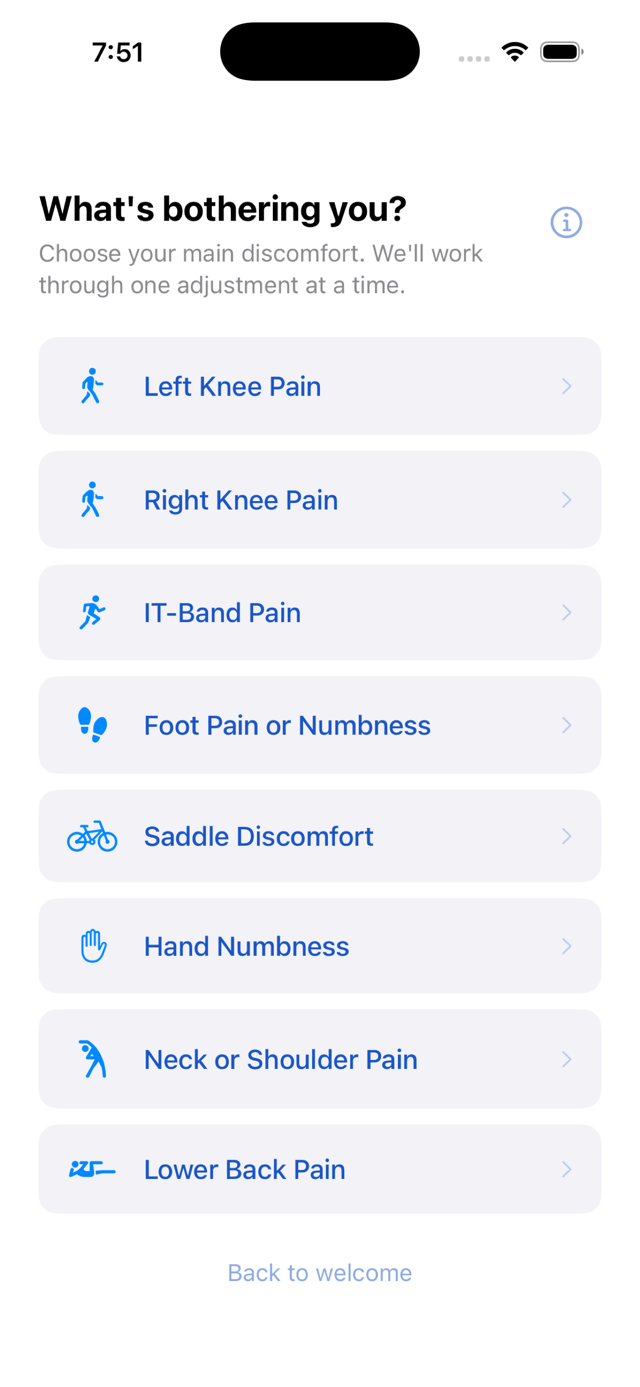
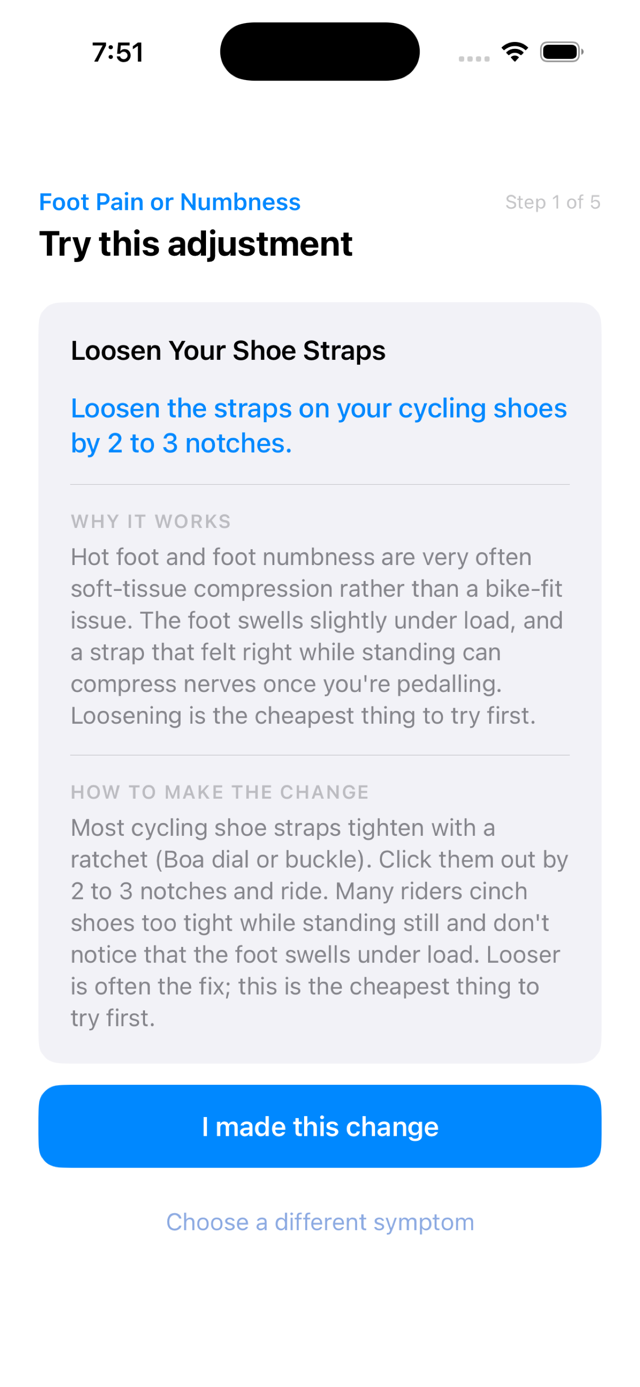
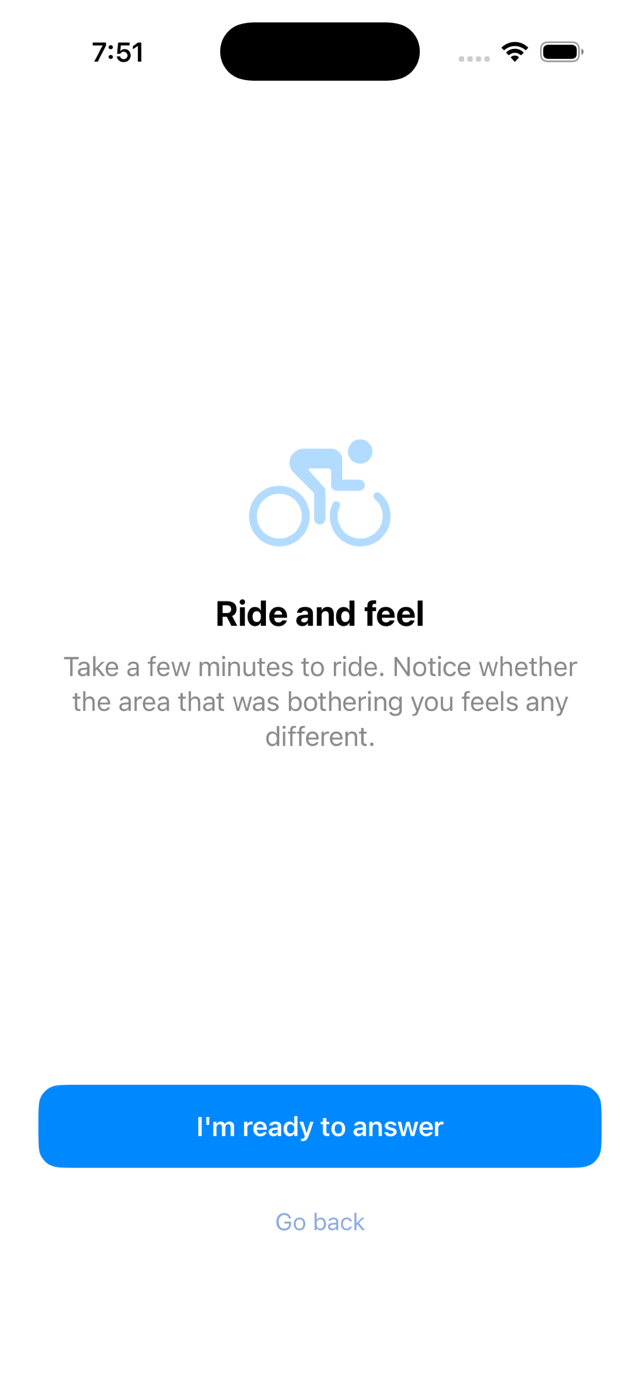
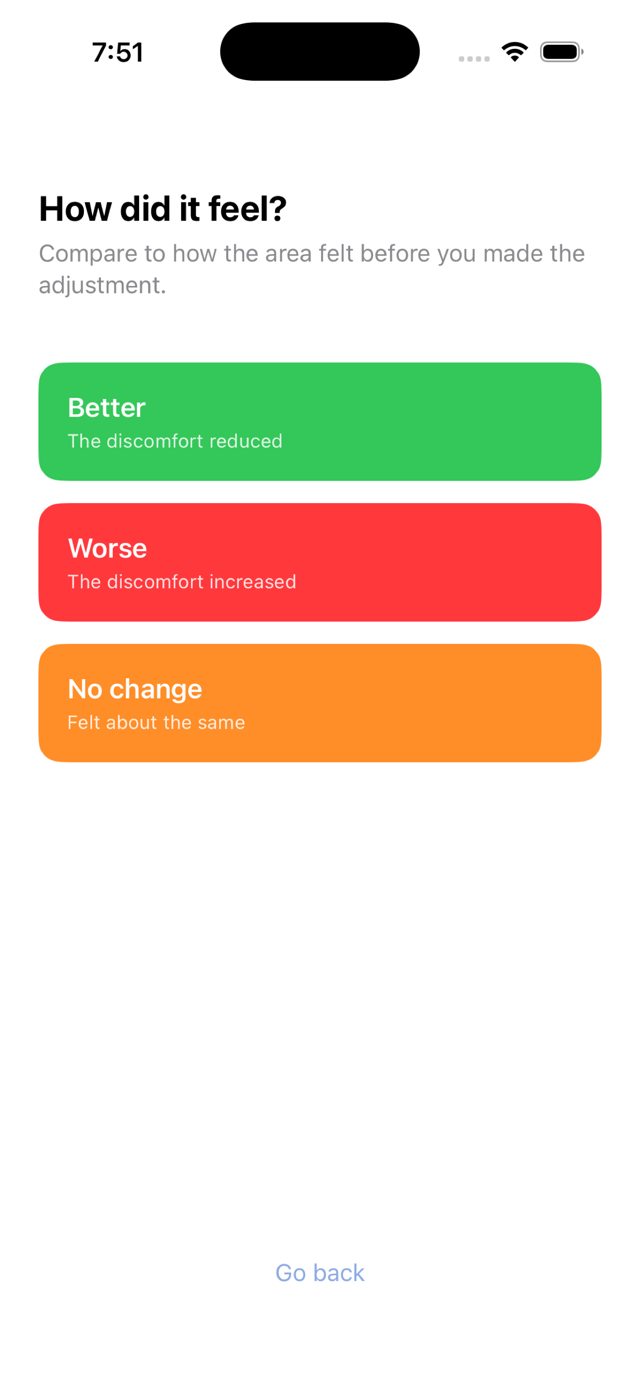
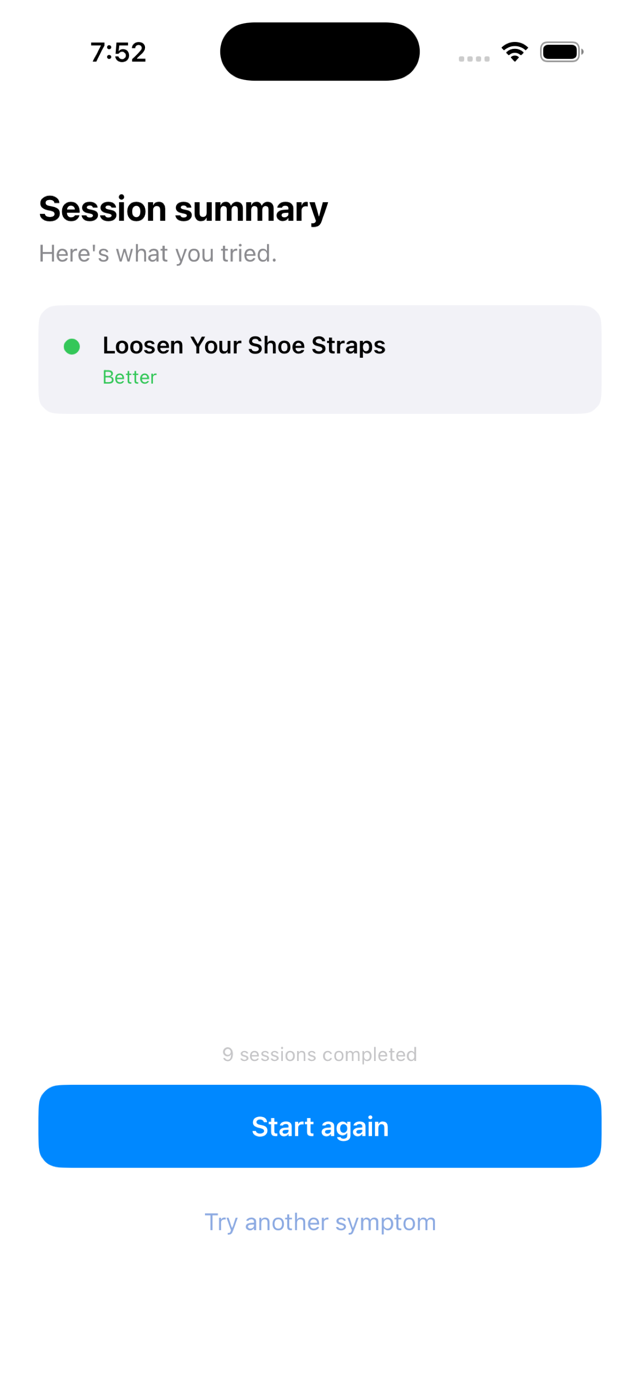
No tripod. No video. No body-landmark markers. Just the adjustment, the reason, and the report-back.
Eight symptoms. Eight guided flows.
Each flow starts with the area a careful fitter would address first. The specific change, the direction, and how far to move it are in the app.
Each flow runs four to five adjustments. After each one, you ride, you report back, the app routes the next.
One adjustment at a time. The right one, in the right order.
A bike fit isn't a one-shot. It's a few small changes, ridden in, then refined. Here's the typical arc.
-
Today
Identify the symptom.
Pick the pain (left knee, right knee, IT-band, foot, saddle, hands, neck, lower back). BikeFit returns the first adjustment a fitter would try, with the biomechanical reason it works and brief instructions on how to make it.
-
Day 1 ride
Try the adjustment. Ride for 10–20 minutes.
Don't overthink the change. The point is to feel whether this axis (saddle height, cleat, bar height) is the right one. Better, no change, or worse: the app routes from there.
-
Day 5
Dial it in, or move to the next axis.
If the first adjustment helped, you fine-tune within a few millimeters across the next few rides. If it didn't, BikeFit moves to the next most-likely axis. The app never repeats the same direction it just tried.
-
Day 30
You either feel better, or you know the bike isn't the problem.
Most cyclists resolve the symptom within the four-to-five adjustments per flow. If you've worked through all of them and the pain hasn't moved, the app tells you so and recommends a professional fitter or a healthcare provider. Honest outcome, not a failure.
The smallest possible change. Tested. Repeat.
There's no video, no tripod, no body-landmark markers, and no AI. Just the same step-by-step process a careful fitter uses, packaged into a few taps.
Pick the symptom
Tell BikeFit what's bothering you. Five choices: left knee, right knee, saddle, hands, lower back. Be specific; the recommended adjustments depend on which one you choose.
Try one adjustment
BikeFit gives you the most likely fix first, with a one-paragraph explanation of why it works biomechanically. Make the change. Ride for 10–20 minutes.
Tell it how it felt
Better, no change, or worse. The app routes the next adjustment based on your answer. It never repeats the same axis and direction it just tried.
BikeFit covers the common adjustments a careful fitter would try first. When its options are exhausted, it tells you so, and recommends a professional bike fit or a healthcare provider. The app is a starting point. It is honest about not being a substitute for clinical assessment.
What you'll need
Three small things make every adjustment easier and more accurate. You probably have all three already. Each step in the app includes "How to make the change" instructions; these tools make those instructions actually executable.
Other bike-fit apps measure your angles. BikeFit fixes your pain.
Most bike-fit apps demand a tripod, a recorded ride, marker placement, and a willing helper. They tell you which angles are off. That is useful, but it is not the same thing as solving the pain you're feeling right now.
Measurement tools
- Require video setup, tripod, and ideally a helper
- Need marker placement on body landmarks
- Tell you the angles. Leave the diagnosis to you.
- Subscription pricing common ($20–$100/yr)
A guided coach
- No video. No tripod. No setup. Open it and start.
- Symptom-driven, not measurement-driven
- Each adjustment includes the reason it works
- $4.99 once. Other bike-fit apps run $20 to $100 per year.
Every adjustment ships with the reason it works.
Here is the first step BikeFit recommends for left knee pain, taken straight from the app. Every one of the 40 adjustments across the eight symptoms reads like this.
Raise Saddle Height
Raise your saddle by 3 to 5 mm.
Why it works
Low saddle height forces the knee into excessive flexion at the bottom of the pedal stroke. Raising it extends the leg more fully and reduces compressive force on the joint.
How to make the change
Loosen the seat-post clamp bolt just below the saddle. Loosen slightly: the post should slide up or down, but not so loose that it slips. Mark the post first if you can. Slide by the millimeters above, keep the saddle pointing straight forward, then retighten.
- Loosen shoe straps (2 to 3 notches) to relieve soft-tissue compression that builds as the foot swells under load
- Move cleats back (2 to 3 mm) to shift pedal pressure off the metatarsal heads and the nerves between the toes
- Lower saddle slightly (3 to 5 mm) to reduce peak force through the foot at the bottom of the pedal stroke
- Rotate cleats outward (2 to 3 degrees) to match the foot's natural splay and remove twist through the forefoot
- Move cleats forward (2 to 3 mm) to redistribute load toward the ball of the foot if rearward cleats did not help
If one adjustment makes things better, BikeFit stops there. If not, it routes to the next adjustment based on your feedback. The order is the order a fitter would try them.
When BikeFit isn't the right tool.
Three cases where the app is the wrong starting point. Saying so up front saves your time and money.
Persistent or severe pain
If pain has been building for weeks, or is sharp rather than achy, see a physical therapist or sports-medicine doctor before adjusting your bike. The pain may not be a fit issue.
Already assessed by a professional
If a fitter or physical therapist has prescribed specific adjustments for you, follow them, not the app. BikeFit's recommendations are general; yours are specific to your body.
Brand-new to cycling
If you've ridden three times in your life, the app's adjustments won't fix what just needs more saddle time. Ride more, then come back if discomfort persists.
Built by a cyclist who paid for the lessons.
About the developer
Dan is a cyclist who learned bike-fit the expensive way: years of recurring discomfort, multiple sessions with professional fitters, and slow pattern-recognition about what they actually do first when something hurts. BikeFit is the app he wished existed when he started. The eight symptom flows in the app are the same adjustments fitters reach for first, in the same order, with the biomechanical reason each one works and brief instructions on how to make it.
Dan is also the author of The Discipline Advantage and The Operating Advantage. More at dancase.us →
Common questions before you buy.
Will it work for my bike?
Any bike with adjustable parts: road, gravel, hybrid, mountain, indoor trainer, commuter. The biomechanical principles are the same regardless of bike type. The specific saddle-rail or stem mechanism varies, but the direction and magnitude of the suggested change applies broadly.
What if no adjustment helps?
BikeFit walks through the most common adjustments a careful fitter would try first. If you've worked through all five for your symptom and nothing has improved, the app tells you so and recommends a professional fitter or healthcare provider. That's the honest outcome, not a failure of the app.
What data does the app collect?
None. The app collects no personal data, sends nothing to any server, and contains no analytics or tracking. Your session history is stored only on your device. Read the full privacy policy →
Can I get a refund if it doesn't help?
Apple's standard 90-day refund policy applies. If BikeFit doesn't work for you, request a refund through Apple's Report a Problem page within 90 days of purchase.
More questions? See the full support page →
Stop guessing. Start adjusting.
Open the app. Pick what hurts. Try one thing. Tell us how it felt. That's the loop.
BikeFit is a guidance tool, not a medical device. If you have persistent or severe pain, stop riding and consult a professional fitter or healthcare provider. Apple's 90-day refund policy applies.